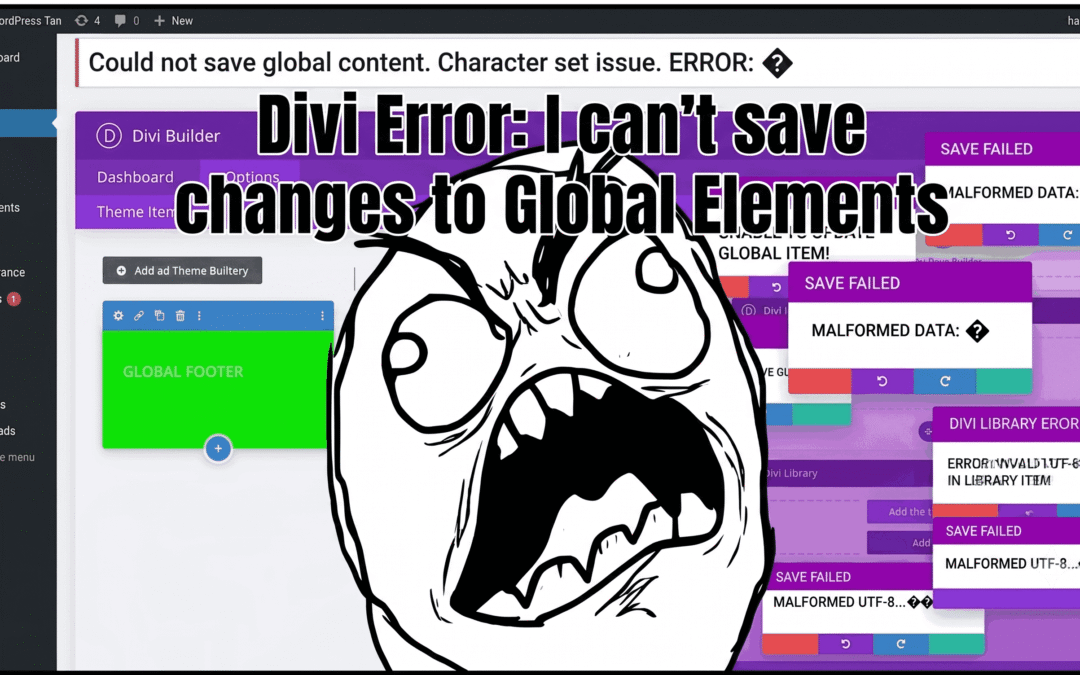
If you use Divi (Elegant Themes), you know that the Theme Builder and the Library are vital tools. Being able to update a footer or a privacy policy globally saves hours of work. But what happens when you make a change, click save, and absolutely… nothing happens?
After years of using this builder, I stumbled upon a saving error that left me at a crossroads. After some investigating, I found the culprit: a tiny special character.
The Scenario: Global Elements That Won’t Respond
The problem arises when trying to update global items (those that turn green in the builder). When you try to save the edit, the system enters an infinite loop or simply ignores the save command. Reviewing forums, many users blame the server cache or PHP memory limits, but sometimes the answer is much simpler.
The Cause: The “Ghost Character”
In my case, the culprit was a special character representing the Enter key arrow (a 90-degree angled arrow symbol). When copying and pasting text from other text editors or external sources, these symbols slip into Divi’s visual tab. WordPress’s database engine or Divi’s saving script sometimes fails to process these raw characters within global elements, completely blocking the process.
The Solution: Code Cleaning and HTML Entities
If you find yourself in this situation, do not despair. There is no need to reinstall the plugin or fight with your CSS file. Just follow these steps:
-
Identify the character: Switch to the “Text” tab (not the Visual one) inside your Divi module.
-
Clean the code: Look for strange symbols, such as raw arrows or incorrectly encoded line breaks.
-
Use HTML Entities: If you absolutely need the symbol to display, do not paste it raw. Use its entity format. For example, for a return arrow (enter), you can use
↵(↵) or its numeric code↵. -
The ultimate test: Try saving again. By using clean code, Divi will process the update without any conflicts.
-
Conclusion
Sometimes we look for complex solutions in the server architecture or HTML tags, when the root problem is a simple, misinterpreted symbol. Before tweaking advanced configurations, review your special characters inside the Divi Library.
I hope this solution saves you the time it took me to find it. Peace and wellness!